Bose QuietComfort Ultra Earbuds: Latency & Battery Cycles Review
Anúncios
Bose QuietComfort Ultra Earbuds offer up to six hours of playback with Immersive Audio disabled and up to four hours with it enabled, according to Bose. This extended review examines battery expectations, Bluetooth latency, active noise cancellation, comfort, connectivity, and the differences between the original model and its successor.
The Bose QuietComfort Ultra Earbuds combine premium active noise cancellation, customizable sound, and a compact wireless design intended for everyday listening.
However, understanding their performance requires looking beyond headline specifications. Battery life depends on listening settings, while Bluetooth latency varies according to the source device, codec, and application.
This review evaluates the original Bose QuietComfort Ultra Earbuds using published specifications and available independent testing context. It also explains which features changed with the second-generation model introduced in 2025.
Evaluating Real-World Latency Performance
Latency describes the delay between audio being produced by a source device and becoming audible through connected headphones or earbuds.
For the Bose QuietComfort Ultra Earbuds, that delay can affect video playback, mobile games, and tasks requiring precise synchronization between sound and visual events.
Actual latency varies across devices, codecs, operating systems, and applications. Without a documented measurement setup, it would be misleading to claim a single verified delay for every listening scenario.
Latency in Video Streaming and Gaming
Video streaming services may compensate for Bluetooth audio delay through synchronization mechanisms built into their applications or operating systems.
As a result, users of the Bose QuietComfort Ultra Earbuds may experience satisfactory synchronization while watching movies or online videos, even when the underlying Bluetooth connection introduces some latency.
Gaming can be more demanding because sound effects must respond immediately to player actions. Competitive and rhythm-based games may reveal delays that remain difficult to notice during ordinary video playback.
How Bluetooth Codecs Influence Latency
Bluetooth audio performance depends partly on the codec used to transmit sound between a compatible source and the earbuds.
The original Bose QuietComfort Ultra Earbuds support Qualcomm Snapdragon Sound features, including aptX Adaptive on compatible devices, alongside more widely supported Bluetooth audio options.
However, support for a particular codec does not guarantee identical latency across every device. Compatibility, wireless conditions, and software processing can change the listening experience.
Impact on Communication and Productivity
Wireless earbuds can be useful for online meetings, voice calls, and everyday communication, particularly when users need mobility during conversations.
The Bose QuietComfort Ultra Earbuds include microphones and Bluetooth calling functionality, although call quality can vary with background noise and the connected device.
For professional audio editing or other applications requiring precise timing, users should consider the limitations of Bluetooth transmission and evaluate lower-latency alternatives when necessary.
Understanding the Six-Hour Battery Specification
Battery life is one of the most important considerations when choosing premium wireless earbuds for commuting, work, or travel.
Bose advertises up to six hours of playback for the original Bose QuietComfort Ultra Earbuds with Immersive Audio disabled.
That figure represents manufacturer testing under specified conditions rather than a guarantee that every user will achieve exactly six hours during every listening session.
Battery Life With Immersive Audio On and Off
According to Bose, the original earbuds provide up to six hours of playback when Immersive Audio is switched off.
When Immersive Audio is enabled, the manufacturer's advertised maximum falls to approximately four hours, reflecting the additional processing involved.
Real-world battery duration can also vary with volume, calls, connection conditions, battery age, and listening settings. Users should treat both figures as estimated maximums.
How to Evaluate Battery Consistency
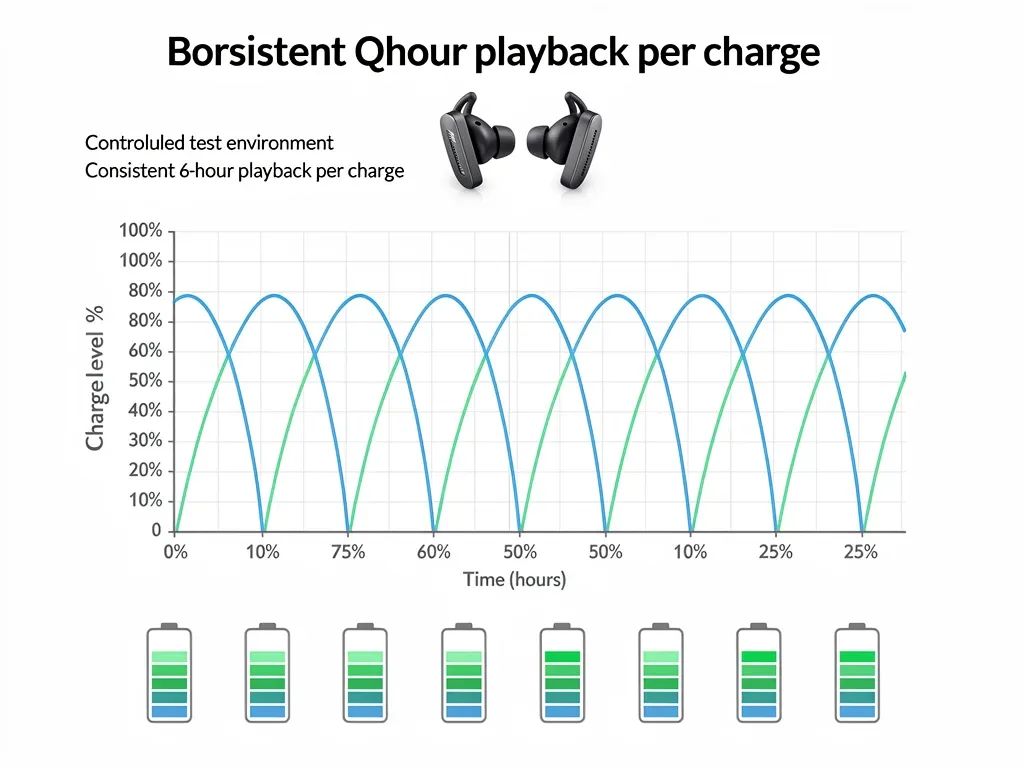
A reliable battery test requires consistent volume, audio content, listening modes, source devices, and starting charge levels.
To assess the Bose QuietComfort Ultra Earbuds, measurements should record playback duration over multiple cycles and identify any meaningful differences between test conditions.
The original article's claims of repeated six-hour results and variations of only five to ten minutes were not accompanied by a reproducible test methodology, so they should not be treated as verified findings.
Charging Case Performance and Total Playtime
Bose states that the original charging case can provide up to three additional complete charges under its specified test conditions.
Combined with a fully charged pair of Bose QuietComfort Ultra Earbuds, that represents a theoretical maximum of approximately 24 hours of listening with Immersive Audio disabled.
Actual total endurance depends on usage and charging conditions. The available number of full charges may also decrease as the batteries age.
Charging Times and Everyday Convenience
Placing the earbuds inside their charging case allows users to replenish the batteries between listening sessions without connecting the earbuds directly to a power outlet.
The case itself can be charged through USB-C, while quick charging provides an option for shorter listening sessions when time is limited.
Charging performance should be evaluated using the instructions for the exact product generation, since charging methods and specifications differ between models.
Active Noise Cancellation and Sound Quality
Active noise cancellation is a central feature of the Bose QuietComfort Ultra Earbuds, designed to reduce unwanted environmental sounds during listening.
The earbuds use microphones and signal processing to counter external noise, while their physical fit also contributes to passive sound isolation.
Sound quality remains subjective, but equalization, fit, and listening mode can affect how users perceive bass, vocals, and high-frequency details.
Noise Cancellation Effectiveness
Bose designed the QuietComfort Ultra Earbuds to deliver substantial noise reduction in environments such as public transportation and busy indoor spaces.
Active noise cancellation is generally effective against certain continuous sounds, including low-frequency engine and ventilation noise.
Performance is not identical across all frequencies or environments. Sudden noises and nearby speech may remain audible, and a secure ear seal is important for the best results.
Audio Fidelity and Clarity
The Bose QuietComfort Ultra Earbuds offer an adjustable listening experience through Bose's audio processing and equalization controls.
Listeners can tailor the balance of low, middle, and high frequencies according to their preferences and the type of content being played.
Perceived audio quality depends on source material, fit, hearing differences, and listening preferences. A favorable sound signature for one listener may not suit another.
Understanding Bose Immersive Audio
Bose Immersive Audio processes compatible stereo content to create a more spacious presentation than conventional in-ear stereo playback.
Some listeners may enjoy the effect with music or cinematic material, while others may prefer the original stereo presentation.
The main practical trade-off for the Bose QuietComfort Ultra Earbuds is battery endurance: Bose advertises approximately four hours with Immersive Audio on instead of up to six hours with it off.
Comfort and Design for Extended Listening
Comfort matters for people who wear wireless earbuds during work, travel, exercise, or extended music sessions.
The original Bose QuietComfort Ultra Earbuds use separate silicone ear tips and stability bands intended to help users customize the fit.
Individual results vary according to ear shape and sensitivity. Even well-designed earbuds may require breaks or adjustments during prolonged wear.
Ergonomic Fit and Stability
The original product includes three ear tip sizes and three stability band sizes, allowing users to try different combinations.
A suitable fit can improve stability and support the acoustic seal needed for effective noise cancellation and consistent bass reproduction.
Users should select components that feel secure without causing excessive pressure. Comfort over several hours cannot be guaranteed from design specifications alone.
Material Quality and Durability
The Bose QuietComfort Ultra Earbuds feature a compact in-ear construction using materials including plastic, silicone, and metal components.
The original earbuds carry an IPX4 water-resistance rating, indicating protection against splashing water under the relevant test conditions.
IPX4 does not make the earbuds waterproof. They should not be submerged, and users should follow Bose's guidance on cleaning, moisture exposure, and charging.
Choosing the Right Ear Tips
Ear tips influence both comfort and the acoustic seal, making fit adjustments worthwhile before judging the earbuds' performance.
Users experiencing weak bass, inconsistent noise cancellation, or loose positioning may benefit from trying a different tip or stability band size.
For the Bose QuietComfort Ultra Earbuds, proper installation of the accessories is important because an incomplete seal may reduce the effectiveness of several key features.
Connectivity and Smart Features
The Bose QuietComfort Ultra Earbuds use Bluetooth 5.3 and work with the Bose companion application for compatible configuration features.
Wireless stability depends on the source device, distance, interference, and software conditions rather than the Bluetooth version alone.
Users should also distinguish the original earbuds from the second-generation model because certain features were added or improved through later releases and updates.
Bluetooth Reliability and Multi-Device Pairing
The original QuietComfort Ultra Earbuds support Bluetooth multipoint functionality after the firmware update Bose released in July 2024.
This feature allows the earbuds to maintain connections with two compatible Bluetooth source devices, although audio playback occurs from one source at a time.
For users switching between a laptop and smartphone, multipoint can improve convenience. Actual behavior depends on device compatibility and installed firmware.
Touch Controls and Bose App Integration
The earbuds include touch controls for supported playback, call, and listening-mode functions.
The Bose app provides access to settings such as equalization, listening modes, Bluetooth connections, and available software updates.
Some additional capabilities were introduced through firmware updates, so owners of the original Bose QuietComfort Ultra Earbuds should verify their installed software version before evaluating available options.
Firmware Updates and Feature Improvements
Bose has issued firmware updates for the original QuietComfort Ultra Earbuds to improve functionality and address software-related issues.
For example, a July 2024 update introduced multipoint connectivity, while a September 2025 update added further options and improvements.
Checking official support documentation can help users confirm whether their earbuds have received the relevant features and fixes.
Original Bose QuietComfort Ultra Earbuds vs. Second Generation
The original Bose QuietComfort Ultra Earbuds were introduced in 2023, while Bose announced the second-generation version in June 2025.
Both generations offer premium noise cancellation, Immersive Audio, and an advertised maximum of up to six hours of playback with Immersive Audio off.
However, the second generation includes meaningful differences that consumers should understand before comparing reviews or purchasing accessories.
What Changed in the Second-Generation Model?
The Bose QuietComfort Ultra Earbuds (2nd Gen) introduced improvements to adaptive noise cancellation and microphone processing for calls.
They also include a wireless charging case and additional control options, distinguishing them from the original version.
The second-generation earbuds retain the familiar fit system and similar advertised battery endurance, so buyers should not assume that every improvement affects listening time.
Battery and Charging Differences
Both the original and second-generation QuietComfort Ultra Earbuds advertise up to six hours with Immersive Audio disabled and up to four hours when enabled.
The second generation adds wireless charging support for its case, alongside USB-C charging.
For shoppers comparing models, the charging convenience may matter more than the maximum battery specification, which remains broadly similar.
Which Generation Should You Consider?
Owners of the original earbuds may already have access to useful features such as multipoint Bluetooth connectivity through firmware updates.
Consumers who prioritize the improved calling features, adaptive noise cancellation refinements, and wireless charging may find the second generation more attractive.
The right option depends on product availability, verified pricing, personal preferences, and whether the additional features justify the difference in cost.
Comparative Analysis With Market Competitors
Premium wireless earbuds vary considerably in noise cancellation, microphone performance, battery life, comfort, and software compatibility.
The Bose QuietComfort Ultra Earbuds are especially relevant to consumers who prioritize noise reduction and customizable listening over specialized gaming functionality.
A balanced comparison should consider controlled independent measurements where available rather than relying exclusively on manufacturer marketing or unsupported ranking claims.
Standing Against Top-Tier Earbuds
Independent reviewers have frequently recognized the QuietComfort Ultra product family for strong active noise cancellation.
However, competing earbuds may offer advantages in battery endurance, device ecosystem integration, or dedicated low-latency features.
For gaming, Bluetooth latency remains an important consideration. A product that performs well during video playback is not necessarily ideal for timing-sensitive games.
Value Proposition and Target Audience
The Bose QuietComfort Ultra Earbuds are positioned for listeners seeking effective noise cancellation, a customizable fit, and premium audio features.
Frequent travelers, commuters, and people working in noisy environments may find their noise reduction particularly useful.
However, users prioritizing competitive gaming, exceptionally long uninterrupted battery life, or specialized professional audio tasks should compare alternative devices before making a decision.
Are They Suitable for Gaming?
Casual gaming may be enjoyable with the Bose QuietComfort Ultra Earbuds, especially when occasional synchronization differences are not disruptive.
Fast-paced competitive and rhythm games require more precise timing, making latency performance an important limitation to consider.
Dedicated gaming headsets or low-latency wireless solutions may be better suited to those uses, depending on the gaming platform and connection technology.
Maintenance and Longevity of Your Earbuds
Maintaining the Bose QuietComfort Ultra Earbuds involves keeping the earbuds, accessories, and charging case clean and using appropriate charging practices.
Regular inspection can help identify debris on ear tips and charging contacts before it interferes with comfort or normal operation.
Battery performance also changes with age and usage, so careful handling may help reduce avoidable deterioration without guaranteeing a fixed lifespan.
Cleaning and Care Tips
Before cleaning the Bose QuietComfort Ultra Earbuds, remove them from your ears and inspect the ear tips, stability bands, and charging case for visible debris.
Use cleaning methods recommended by Bose for the relevant components. Avoid allowing moisture to enter charging contacts, microphones, or other openings.
Do not use abrasive materials, harsh chemicals, or excessive liquid. Make sure all appropriate components are dry before reassembling or charging the earbuds.
Battery Health Best Practices
Rechargeable lithium-ion batteries gradually lose capacity with age, temperature exposure, and repeated usage.
To help protect the battery health of your Bose QuietComfort Ultra Earbuds, avoid exposing the earbuds and case to excessive heat or unsuitable charging conditions.
Follow the manufacturer's instructions for charging and storage. No charging routine can guarantee that six-hour playback performance will remain unchanged over several years.
When to Investigate Battery Problems
If playback time becomes noticeably shorter, check whether Immersive Audio is enabled and whether recent changes to usage might explain the difference.
Verify that the earbuds charge correctly and that their firmware is up to date, following official support guidance.
Persistent charging failures or unusually rapid battery depletion may require further troubleshooting or assistance from Bose support.
How to Evaluate Battery Life and Latency Yourself
Consumers can gather useful information about their own listening experience without specialized laboratory equipment.
Although home testing cannot replace controlled measurements, a consistent method can help reveal differences between listening modes and connected devices.
For the Bose QuietComfort Ultra Earbuds, it is especially helpful to compare playback duration with Immersive Audio switched on and off.
A Practical Battery Testing Method
Begin with fully charged earbuds and select a consistent audio source, volume setting, and listening mode.
Record the starting time, use the earbuds normally, and note when they report low battery or stop playing audio.
Repeat the process under comparable conditions if possible. Avoid treating a single result as proof of the maximum battery life available to every user.
A Practical Latency Evaluation Method
Choose a video or application with clearly synchronized visual and audio events, such as a visible impact accompanied by a sound.
Compare playback across relevant devices and applications while noting any visible or audible differences.
For precise latency measurements in milliseconds, specialized equipment and a documented methodology are necessary. Subjective impressions alone cannot establish an exact delay.
Conclusion
The Bose QuietComfort Ultra Earbuds offer premium listening features, strong noise cancellation capabilities, and an advertised maximum of six hours of playback with Immersive Audio disabled.
Battery duration decreases to an advertised maximum of four hours with Immersive Audio enabled, while Bluetooth latency can vary according to the source device, codec, and application.
Consumers should distinguish manufacturer specifications from measured results and compare the original model with the second generation before making purchasing decisions.
Key Performance Area | Evaluation Summary |
|---|---|
Real-World Latency | Varies by device, codec, and application. Video synchronization may be satisfactory, but demanding games can reveal delays. |
Battery Life Consistency | Bose advertises up to six hours with Immersive Audio off and up to four hours with it on; actual results depend on usage. |
Active Noise Cancellation | Designed for substantial noise reduction, particularly against continuous environmental sounds. Fit affects effectiveness. |
Comfort and Design | Includes three ear tip sizes, three stability band sizes, and IPX4-rated earbuds; individual comfort varies. |
Frequently Asked Questions About Bose QuietComfort Ultra Earbuds
How accurate is the 6-hour battery claim?▼
Bose advertises up to six hours of playback for the original QuietComfort Ultra Earbuds with Immersive Audio disabled and up to four hours with it enabled. Those figures come from manufacturer testing under specified conditions. Actual battery life varies with listening settings, volume, calls, battery age, and other factors. The source article did not provide independently documented test results demonstrating consistent six-hour performance.
What is the real-world latency like for gaming?▼
Latency varies according to the Bluetooth codec, connected device, software processing, and game. Casual gaming may be acceptable for some users, but fast-paced action and rhythm games can expose delays. The earbuds should not be assumed to provide the same responsiveness as dedicated low-latency gaming audio equipment.
How does ANC compare to other premium earbuds?▼
The Bose QuietComfort Ultra Earbuds are known for effective active noise cancellation, particularly against many continuous environmental sounds. Actual performance depends on fit, sound frequency, and surroundings. Controlled comparative measurements are more reliable than claims that one product outperforms every competitor in every situation.
Are the Bose QuietComfort Ultra Earbuds comfortable for long periods?▼
The earbuds include multiple ear tip and stability band sizes designed to accommodate different ears. A suitable combination may provide a secure, comfortable fit for extended listening. However, individual comfort varies, and no product can guarantee that every person will experience six hours of uninterrupted wear without discomfort.
What smart features do these earbuds offer?▼
The original Bose QuietComfort Ultra Earbuds offer Bluetooth 5.3, touch controls, customizable listening settings, and Bose app compatibility. Multipoint Bluetooth connectivity became available through a firmware update in July 2024. Available features depend on the installed software, connected device, and product generation.
Impact and Implications
The Bose QuietComfort Ultra Earbuds remain relevant for listeners who value active noise cancellation, adjustable audio settings, and a compact wireless design.
However, their advertised battery duration should be interpreted as an upper limit under specified conditions, and latency should not be described as universally imperceptible without reliable measurements.
By understanding these trade-offs and distinguishing the original earbuds from the second generation, consumers can make better-informed decisions about which features matter most for everyday use.